How do I get a task to close on its own, with the check passing?
Your first verified task
This is the moment the rest of Muster is built around: a task that closes because a command you chose exited zero — not because an agent said it was done.
You need a project open in Muster, and a test command that runs in your terminal. You will end with one task closed by exit 0, or blocked with the reason attached.
Check your test command first
Muster decides whether a task is done by running a command and reading its exit code. Before you ask it to do that, run the command yourself, in the project folder, on the code as it is now:
$ npm test
…
$ echo $?
0
If it exits 0, you are ready. If it fails on untouched code, every task you queue will come back blocked, and the blocks will be telling you about your test suite, not about the agent’s work. Fix it, or pick a narrower command that passes today, such as a single test file.
Audit the project
The audit is an ordinary agent session with one job: read the repository and propose a list of tasks. It does not change files. Open the queue for your project and choose Audit for tasks.
You can give it a focus in one sentence, and on a first run you should. “Find small bugs and missing tests in src/api” produces tasks you can verify. “Improve the codebase” produces tasks nobody can.
The queue view of a project with no tasks yet, the audit prompt filled with a one-sentence focus, and the audit session running in its pane
The audit runs in a pane like any other session. You can read along as it works, and interrupt it.
Review the list that comes back
The audit returns tasks. Each has a title, the paths it expects to touch, and an acceptance command — or no command, if the agent could not propose one. Nothing is queued to run yet. This is the step where you decide what “done” means, so take the two minutes.
Keep tasks that have one outcome you could check by running something. Edit or delete the rest.
- Keep: “Retry on HTTP 429 in
src/api/client.ts, with a test.” One behaviour, one file, a test that fails today and passes after. - Keep: “Split
runner.tsinto admit / run / close.” A refactor, and the existing tests are a fair acceptance command. - Delete: “Improve error handling across the app.” No boundary, no check. Rewrite it as one module with one test, or drop it.
- Keep, with no command: “Update the README.” Fine to run, but nothing can verify prose. It will stop and wait for your review, which is the honest outcome.
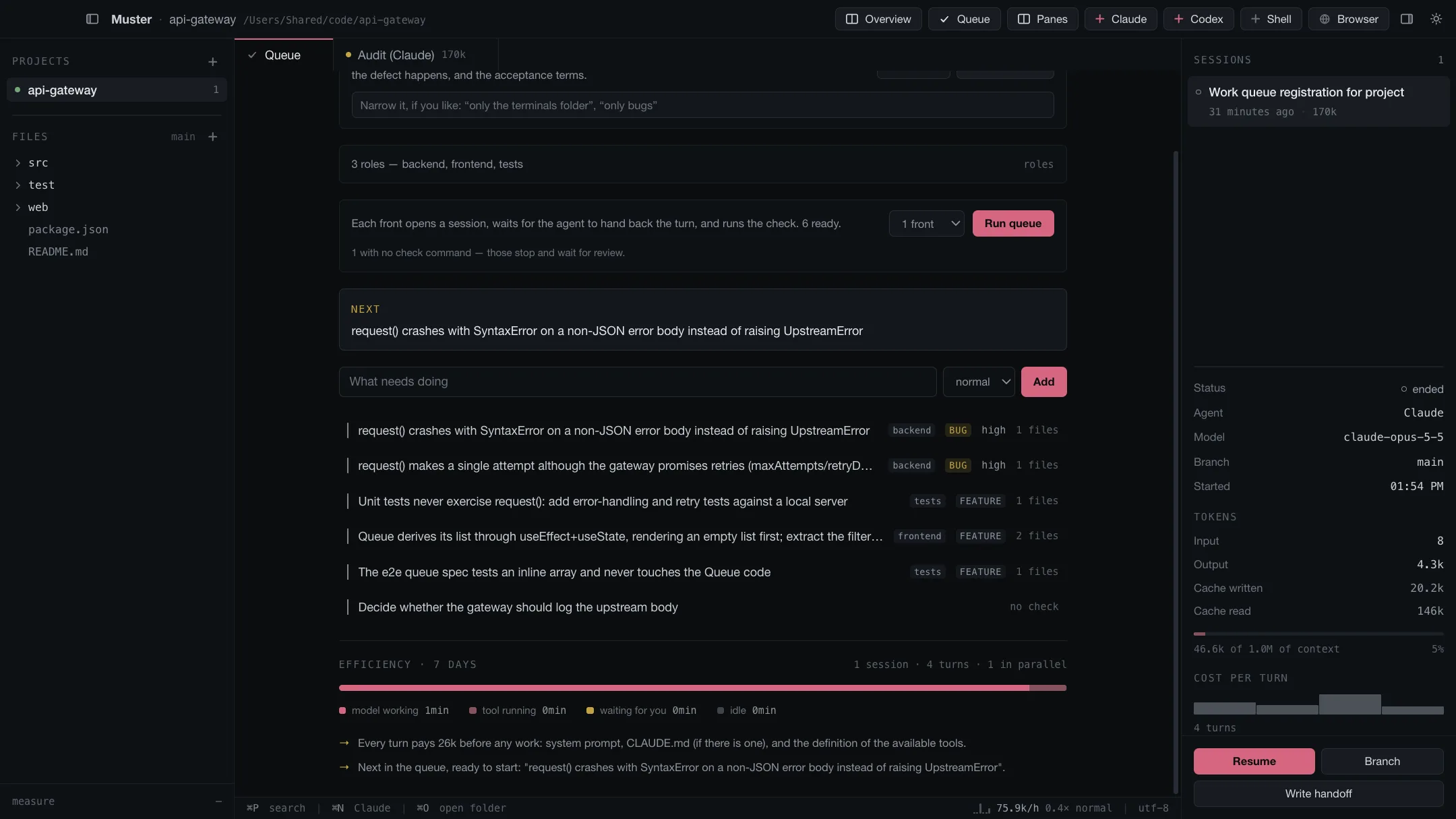
For your first run, pick the smallest task with a command and queue only that one. You want to see the whole cycle once before you trust it with ten.
Understand the acceptance command
This is the one idea to take away from this page. When the agent finishes and hands the turn back, Muster runs the task’s acceptance command in the project folder, outside the agent’s session, and reads the exit code:
- Exits
0→ verified. The task closes and the next one can run. - Exits anything else → blocked, with the command’s output attached.
- No command at all → needs human review. Nothing decides for you.
The agent’s own summary plays no part. If it says “all tests pass” and the command exits 1, the task is blocked. If the agent ran the tests itself mid-task, that does not count either; only the run after it hands back does.
What makes a good command
- Specific.
npm test -- src/api/clientchecks this task.npm testchecks everything, which is slower and can block a task for a failure somewhere else. - Deterministic. A flaky test turns into a flaky verdict. If a test fails one run in ten, leave it out of acceptance commands until it is fixed.
- Quick. It runs after every task. Seconds, not minutes, when you can.
- Chained when you need more than one check.
&&stops at the first failure and passes its exit code on.
A command that takes longer than five minutes needs its ceiling raised, next to the command itself. Blank means five minutes; thirty is the maximum, because a command that never finishes would hold the queue forever.
Start the queue
Press Run queue. One task, one fresh agent session, seeded with the task in full.
Muster waits for the agent to hand the turn back — not for it to say it is finished — and then runs the acceptance command. You can watch the whole thing: every front is a pane.
One task running: its session pane on the right, the task row marked running on the left, the acceptance command visible on the row
Read the result
In the morning, or in four minutes, each task is in one of three states, and each tells you what happened in its own words.
- Verified. The command passed. The task is closed, with the exit code and duration recorded.
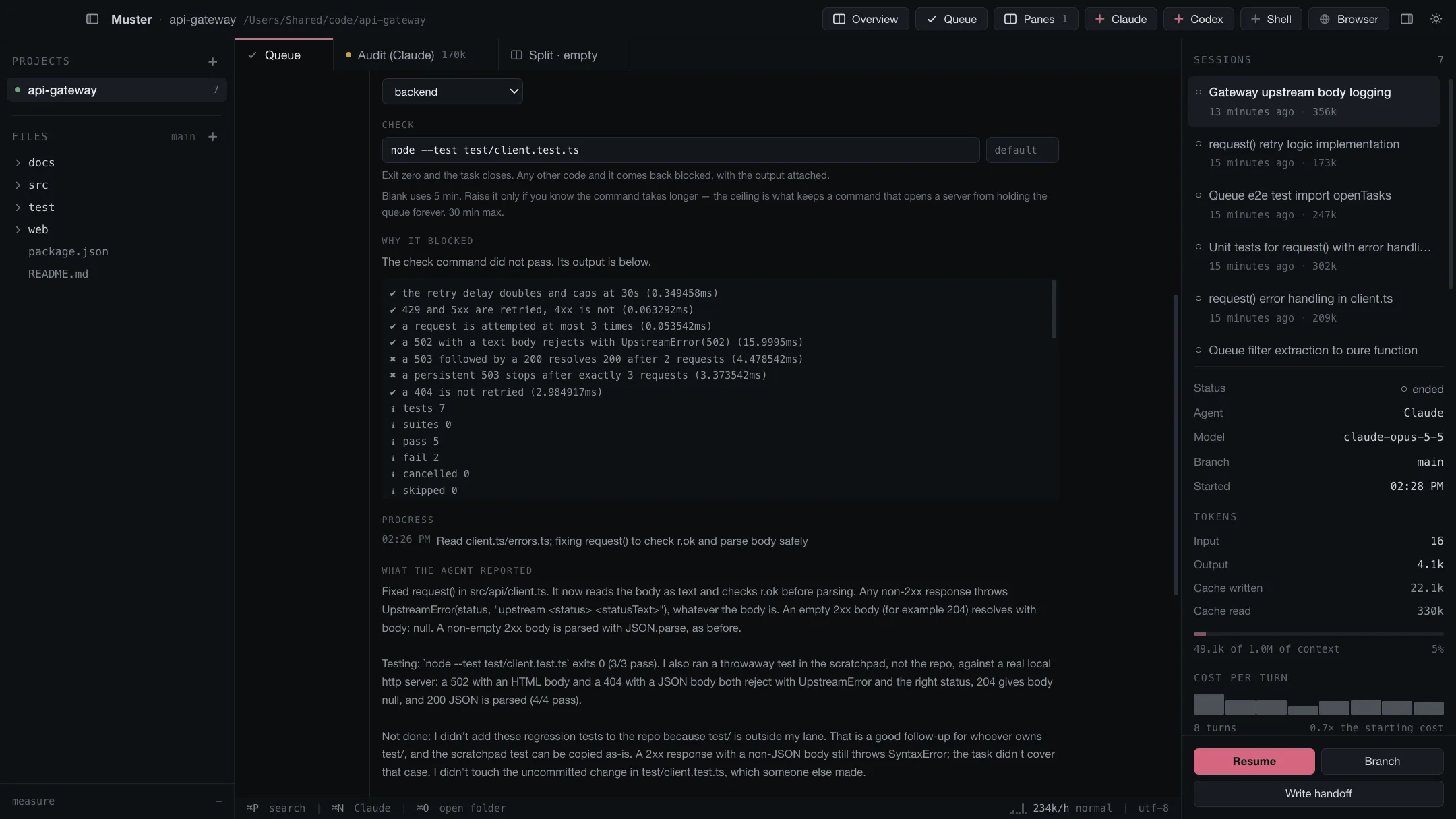
- Blocked. The command did not pass, and its output is attached to the task. Read it: it is the raw output, not our summary of it.
- Needs human review. No acceptance command. The work is there; the verdict is yours.
The same task closed: verified mark, exit code, duration, and the passing command’s last lines
A blocked task is a result, not a failure of the tool — and on a first run it is the most common one. A block with the failing output attached is more useful than a green tick you cannot trust:
What to do next
Run a second task. Then queue three. When you want several agents working at once without stepping on each other’s files, the next layer is roles and lanes.